
简介
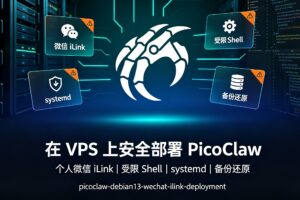
适用对象:希望在低配 Debian VPS 上运行个人微信 AI Agent,并使用远端 OpenAI 兼容模型 API 的用户。 本文目标:不使用 Docker、不在 VPS 编译、不开放 PicoClaw 公网端口,以普通用户运行,并将 Agent 的文件与命令活动限制在专用工作区。
一、最终架构与边界
本文采用的架构如下:
个人微信 iLink
        │(长轮询出站连接,无需公网 Webhook)
        ▼
PicoClaw(systemd)
  ├─ 普通用户:picoclaw
  ├─ 白名单:仅自己的 @im.wechat 用户 ID
  ├─ 工作区:/home/picoclaw/workspace
  ├─ 入站媒体:/tmp/picoclaw_media(仅按当前消息通过 load_image 只读)
  ├─ 本地 Gateway:127.0.0.1:18790 / [::1]:18790
  ├─ 内存上限:480 MiB
  └─ CPU 上限:单核 95%
        │
        ▼
OpenAI 兼容远端模型 API
安全策略
- 不以 root 运行 Agent:仅 root 负责安装、更新、启停 systemd 服务。
- 不开放 PicoClaw 公网端口:微信 iLink 使用出站长轮询;管理仍使用 SSH、Tailscale 或 ZeroTier。
- 微信白名单:部署初期临时使用
"*"做连通性诊断;完成测试并获得真实 User ID 后,必须立即替换为唯一的@im.wechatID。最终运行状态不得保留"*"。 - C-轻量模式:允许 Agent 在工作区内使用 Shell 和用户态工具,但不允许 sudo、apt、systemctl、Docker、网络管理等系统级操作。
- systemd 强制限制:限制权限、设备、临时目录、内核设置、系统目录写入、内存和 CPU。
- 敏感凭证单独保存:模型 API Key 不写进主配置,也不提交 Git。
[!WARNING] 允许远程 Shell 后,即使 Agent 是普通用户,也仍有提示注入、恶意网页、恶意下载脚本等风险。本文的配置能阻止系统级修改,但无法让一个“可以执行任意用户态命令”的进程完全看不到它自身需要使用的凭证。请只允许可信微信账号使用,不要把 Bot 分享给他人或加入群聊。
![在低配VPS 上安全部署 PicoClaw:个人微信 iLink、受限 Shell、systemd 与备份还原、1C 1G 5G配置[picoclaw-debian13-wechat-ilink-deployment]-CXT - Enjoy Life | 生活、技术、交友、分享](https://www.cxthhhhh.com/wp-content/uploads/2026/07/2026071306092851.jpg)
二、资源要求与容量规划
本文实测配置适用于:
| 项目 | 建议值 |
|---|---|
| 系统 | Debian 13(x86_64) |
| CPU | 1 vCPU |
| 内存 | 1 GB |
| Swap | 至少 512 MB,建议 1 GB |
| 磁盘 | 5 GB 起步,建议 10 GB+ 更从容 |
| 模型 | 云端 API;不运行 Ollama 或本地模型 |
低配 VPS 的关键不是 PicoClaw 二进制本身,而是避免同时运行:
- Docker / 多容器沙箱;
- 本地大模型;
- 浏览器自动化;
- 多 Agent 并发;
- 大型向量数据库;
- 大量附件处理、下载和日志积累。
建议首先检查:
uname -m
cat /etc/os-release
free -h
df -h /
三、部署前检查
1. 检查端口和已有服务
ss -lntup
systemctl --type=service --state=running --no-pager
PicoClaw 的本地 Gateway 默认使用 18790。它应只绑定到回环地址,不应监听:
0.0.0.0:18790
[::]:18790
2. 检查微信 iLink 出网
getent hosts ilinkai.weixin.qq.com
curl -I --max-time 10 https://ilinkai.weixin.qq.com
405 Method Not Allowed 对 curl -I 来说通常仍表示网络连接成功:该端点不接受 HEAD 请求,但 HTTPS 已可达。
3. 选择模型 API
本文假设服务商同时支持 OpenAI Chat Completions 风格接口:
https://YOUR-API-HOST/v1/chat/completions
PicoClaw 配置中使用的 Base URL 应为:
https://YOUR-API-HOST/v1
不要在文章、聊天记录、截图或 Git 仓库中粘贴真实 API Key。
4. 验证服务器时区
PicoClaw Cron 当前使用服务器本地时区,任务本身不单独保存一个时区字段。因此,创建定时任务前先确认服务器时区:
timedatectl show -p Timezone --value
date '+%Y-%m-%d %H:%M:%S %Z %z'
readlink -f /etc/localtime
如果时区不符合预期,由管理员先选择一个 IANA 时区,例如:
timedatectl list-timezones | grep -E 'Asia/Shanghai|Asia/Singapore|UTC'
timedatectl set-timezone Asia/Shanghai
timedatectl set-timezone 会改变整台服务器的系统时区。请根据服务器实际所在地或你的统一运维标准选择,不要把微信客户端或个人电脑的时区直接当作服务器时区。创建 Cron 时应明确写出服务器时区。
四、创建受限运行用户与目录
所有以下系统操作以 root 执行。
if ! id picoclaw >/dev/null 2>&1; then
  useradd --create-home --user-group --shell /bin/bash picoclaw
fi

# 锁定密码;root 仍可通过 runuser 切换到该用户。
usermod -L picoclaw
gpasswd -d picoclaw sudo 2>/dev/null || true

install -d -o picoclaw -g picoclaw -m 0700 \
  /home/picoclaw/.picoclaw \
  /home/picoclaw/workspace \
  /home/picoclaw/workspace/bin \
  /home/picoclaw/workspace/skills \
  /home/picoclaw/workspace/work \
  /home/picoclaw/workspace/projects

id picoclaw
预期:picoclaw 不应属于 sudo 组。
工作区目录职责:
sessions/、memory/、state/、cron/:PicoClaw 运行目录,不手动编辑;skills/:管理员维护的自定义 Skill 目录;初始为空是正常的,Agent 不得自行安装或修改;work/:一次性任务目录;projects/:长期项目目录;bin/:经管理员批准的工作区本地工具。
不要在工作区根目录创建全局 downloads/、tmp/ 或 output/。这些目录仅在单个任务目录内按需创建。
五、安装 PicoClaw 预编译二进制
PicoClaw 是 Go 二进制程序。对 x86_64 Linux,可使用官方 Release 的预编译包;不需要在 VPS 或 WSL 编译。
发布资产名称可能随项目版本变化。以下是当前常见命名方式;若下载出现 404,请先在官方 Release 页面确认资产名。
TMPDIR="$(mktemp -d)"

curl -fL --connect-timeout 10 --max-time 120 \
  -o "${TMPDIR}/picoclaw.tar.gz" \
  "https://github.com/sipeed/picoclaw/releases/latest/download/picoclaw_Linux_x86_64.tar.gz"

tar -C "${TMPDIR}" -xzf "${TMPDIR}/picoclaw.tar.gz"

BIN_PATH="$(find "${TMPDIR}" -type f -name picoclaw -executable -print -quit)"
test -n "${BIN_PATH}"

install -o root -g root -m 0755 "${BIN_PATH}" /usr/local/bin/picoclaw
rm -rf -- "${TMPDIR}"

/usr/local/bin/picoclaw version
六、写入 PicoClaw 主配置
创建 /home/picoclaw/.picoclaw/config.json:
cat > /home/picoclaw/.picoclaw/config.json <<'EOF'
{
  "agents": {
    "defaults": {
      "workspace": "/home/picoclaw/workspace",
      "model_name": "my-openai-compatible-model",
      "max_tokens": 12288,
      "max_tool_iterations": 30,
      "max_parallel_turns": 1,
      "restrict_to_workspace": true
    }
  },

  "model_list": [
    {
      "model_name": "my-openai-compatible-model",
      "provider": "openai",
      "model": "YOUR_MODEL_NAME",
      "api_base": "https://YOUR-API-HOST/v1"
    }
  ],

  "channel_list": {
    "weixin": {
      "enabled": true,
      "type": "weixin",
      "allow_from": ["*"]
    }
  },

  "tools": {
    "allow_read_paths": ["/tmp/picoclaw_media"],
    "allow_write_paths": null,
    "web": {
      "duckduckgo": {
        "enabled": true,
        "max_results": 5
      }
    },
    "message": {
      "enabled": true,
      "media_enabled": true
    },
    "load_image": {
      "enabled": true
    },
    "read_file": {
      "enabled": true,
      "mode": "bytes",
      "max_read_file_size": 65536
    },
    "send_file": {
      "enabled": true
    },
    "exec": {
      "allow_remote": false,
      "enable_deny_patterns": true,
      "custom_deny_patterns": [
        "(?i)\\b(sudo|su|apt|apt-get|dpkg|systemctl|service|journalctl|useradd|usermod|passwd|visudo|mount|umount|iptables|nft|ufw|docker|podman|tailscale|zerotier-cli|caddy|reboot|shutdown|poweroff)\\b"
      ]
    },
    "cron": {
      "enabled": true,
      "exec_timeout_minutes": 5,
      "allow_command": false,
      "command_allowed_remotes": []
    }
  },

  "heartbeat": {
    "enabled": false
  }
}
EOF

chown picoclaw:picoclaw /home/picoclaw/.picoclaw/config.json
chmod 600 /home/picoclaw/.picoclaw/config.json
临时开放警告: 本文初始配置使用
allow_from: ["*"]只是为了先验证模型、微信 iLink、网络和消息链路。执行这一步前,确认 Bot 没有分享给他人、没有加入群聊,并且 C-轻量 Shell 仍未开启。测试完成后必须马上改成自己的真实 User ID。不要把"*"当作最终配置。
配置重点说明
| 字段 | 建议 | 说明 |
|---|---|---|
restrict_to_workspace | true | 让 Agent 的主要文件与命令范围保持在工作区 |
allow_read_paths | 仅 /tmp/picoclaw_media | 为微信入站图片提供最小只读例外;不要放行整个 /tmp |
load_image.enabled | true | 允许 Agent 将当前入站图片交给视觉模型识别 |
read_file.enabled | true | 启用工作区内的专用文件读取工具,与 AGENT.md 的 read_file 工具保持一致 |
read_file.mode | bytes | 以字节模式读取文件,适合文本和二进制安全分页读取 |
read_file.max_read_file_size | 65536 | 限制单次读取大小,避免大文件直接占满上下文 |
message.media_enabled | true | 允许已授权的 message 工具发送工作区内的本地媒体和文件 |
send_file.enabled | true | 允许向当前用户发送任务交付文件 |
max_tokens | 12288 | 单次模型输出上限,适合代码、长说明和多工具任务 |
max_parallel_turns | 1 | 1C/1G 与单用户微信场景下保持顺序处理 |
max_tool_iterations | 30 | 单次任务最多工具循环次数;适合调研任务,但仍应避免重复搜索与无效循环 |
allow_remote | 初始 false | 白名单确认后再启用 C-轻量 Shell |
allow_from | 初始临时 "*" | 仅用于 Bot 未共享时的连通性诊断;测试后必须改为唯一的 @im.wechat ID |
cron.enabled | true | 启用 PicoClaw 用户级定时任务;默认禁止命令型任务 |
max_tokens 主要限制每次模型输出,不是整个会话总上下文。12288 是远端模型输出上限,主要影响 API 成本、单次响应长度和等待时间,不会让 VPS 本地进行模型推理。
allow_read_paths 只额外放行 PicoClaw 的微信临时媒体目录。AGENT.md 还会进一步限制 Agent 只能通过 load_image 读取当前消息明确提供的图片路径,不能列出目录,也不能使用 Shell、read_file 或 Base64 命令绕过。
本文启用 PicoClaw 的 cron 工具以支持每日早报等用户级任务,但默认策略禁止 Agent 创建命令型任务。allow_command=false 是一道防护层而不是唯一的硬开关;本方案同时保持 command_allowed_remotes=[],并在 AGENT.md 中禁止 command jobs,因此微信等远程通道只能创建提醒或完整 Agent 任务。定时早报不应通过系统 cron、systemd timer 或 Shell 命令实现。
七、私密写入模型 API Key
不要把 API Key 放在 config.json。使用独立安全文件:
runuser -l picoclaw
进入 picoclaw 用户后执行:
umask 077

read -rsp "Paste API key: " PICO_KEY
echo

cat > ~/.picoclaw/.security.yml <<EOF
model_list:
  my-openai-compatible-model:
    api_keys:
      - "${PICO_KEY}"
EOF

unset PICO_KEY
chmod 600 ~/.picoclaw/.security.yml
exit
测试模型连接:
runuser -l picoclaw -c \
  '/usr/local/bin/picoclaw agent -m "Reply with: model connection successful"'
模型返回正常后,再继续微信接入。
八、个人微信 iLink 扫码登录
以 root 执行:
runuser -l picoclaw -c '/usr/local/bin/picoclaw auth weixin'
终端会显示二维码。使用微信扫码并确认授权。
成功后,凭证由 picoclaw 用户保存;不要查看、复制、公开或提交这些凭证。
九、临时诊断开放,再锁定个人微信白名单
为了先确认模型、微信 iLink、DNS 和消息链路,再排查白名单问题,本文采用两阶段策略:
- 临时使用
allow_from: ["*"]做连通性测试; - 获取真实
@im.wechatUser ID 后立即替换"*"。
临时开放期间必须同时满足:Bot 没有分享给他人或加入群聊;Gateway 只监听 127.0.0.1 / ::1;tools.exec.allow_remote=false;C-轻量 Shell 尚未开启。"*" 只用于短时间诊断,不能作为最终配置。
1. 启动诊断模式并测试消息链路
先完成第十节 AGENT.md 和第十一节 systemd 服务,再执行:
systemctl enable --now picoclaw.service
systemctl is-active picoclaw.service
在微信发送:
Reply with: Weixin transport and model are working.
没有回复时,先排查服务、模型 API、DNS、iLink 出网和日志,不要开启 Shell。
2. 获取真实微信 User ID
在微信发送唯一探测文本:
owner-id-probe
从微信 context-token 文件中提取 @im.wechat ID:
CTX=/home/picoclaw/.picoclaw/channels/weixin/context-tokens

grep -RahoE '[A-Za-z0-9._+-]+@im\.wechat' "$CTX" 2>/dev/null | sort -u
文件名可能是内部哈希,不能直接当作用户 ID。如果出现多条,发送另一条唯一探测文本,然后只从最新文件提取:
LATEST="$(
  find "$CTX" -maxdepth 1 -type f -printf '%T@ %p\n' |
  sort -n |
  tail -n 1 |
  cut -d' ' -f2-
)"

if [[ -z "$LATEST" || ! -f "$LATEST" ]]; then
  echo "ERROR: No Weixin context-token file was found." >&2
else
  printf 'Latest context-token file: %s\n' "$LATEST"
  grep -ahoE '[A-Za-z0-9._+-]+@im\.wechat' "$LATEST" | sort -u
fi
如果仍然无法得到唯一 ID,请停止,不要猜测文件名,也不要继续开启远程 Shell。
3. 立即锁定个人白名单
下面的替换器会:兼容单行或多行 allow_from 数组、保留原字段末尾的逗号状态、要求只替换一次、先备份并原子写入,然后在重启前让 PicoClaw 自己解析配置。失败时会自动恢复原配置。
update_weixin_allowlist() (
  set -Eeuo pipefail

  CFG=/home/picoclaw/.picoclaw/config.json
  PICOCLAW=/usr/local/bin/picoclaw
  CONFIG_CHANGED=0

  read -rp "Enter your own Weixin User ID: " WX_USER_ID

  LOCAL_PART="${WX_USER_ID%@im.wechat}"
  if [[ "$WX_USER_ID" != *@im.wechat ]] ||
     [[ -z "$LOCAL_PART" ]] ||
     [[ "${#WX_USER_ID}" -gt 256 ]] ||
     grep -qE '[[:space:]"\\]' <<<"$WX_USER_ID"; then
    echo "ERROR: Invalid or unsafe Weixin User ID." >&2
    exit 1
  fi

  BACKUP="${CFG}.before-owner-allowlist.$(date +%Y%m%d-%H%M%S)"
  TMP="$(mktemp "${CFG}.new.XXXXXX")"
  cp -a -- "$CFG" "$BACKUP"

  cleanup() {
    local status=$?
    trap - EXIT
    rm -f -- "$TMP"

    if [[ "$status" -ne 0 && "$CONFIG_CHANGED" -eq 1 ]]; then
      echo "ERROR: Restoring the previous PicoClaw configuration." >&2
      cp -a -- "$BACKUP" "$CFG"
      chown picoclaw:picoclaw "$CFG"
      chmod 600 "$CFG"
      systemctl restart picoclaw.service || true
    fi

    unset WX_USER_ID LOCAL_PART
    exit "$status"
  }

  trap cleanup EXIT

  if ! awk -v id="$WX_USER_ID" '
    BEGIN {
      in_weixin = 0
      pending_array = 0
      replaced = 0
      weixin_indent = -1
    }

    {
      match($0, /^[[:space:]]*/)
      current_indent = RLENGTH
    }

    !in_weixin &&
    /^[[:space:]]*"weixin"[[:space:]]*:[[:space:]]*\{/ {
      in_weixin = 1
      weixin_indent = current_indent
      print
      next
    }

    in_weixin &&
    !pending_array &&
    /"allow_from"[[:space:]]*:[[:space:]]*\[/ {
      allow_indent = substr($0, 1, current_indent)

      if ($0 ~ /\]/) {
        comma = ($0 ~ /\][[:space:]]*,/) ? "," : ""
        print allow_indent "\"allow_from\": [\"" id "\"]" comma
        replaced++
      } else {
        pending_array = 1
      }

      next
    }

    pending_array {
      if ($0 ~ /\]/) {
        comma = ($0 ~ /\][[:space:]]*,/) ? "," : ""
        print allow_indent "\"allow_from\": [\"" id "\"]" comma
        pending_array = 0
        replaced++
      }
      next
    }

    in_weixin &&
    current_indent == weixin_indent &&
    /^[[:space:]]*}[[:space:]]*,?[[:space:]]*$/ {
      in_weixin = 0
    }

    { print }

    END {
      if (pending_array || replaced != 1) exit 42
    }
  ' "$CFG" > "$TMP"; then
    echo "ERROR: Could not replace exactly one weixin.allow_from array." >&2
    exit 1
  fi

  chown picoclaw:picoclaw "$TMP"
  chmod 600 "$TMP"
  CONFIG_CHANGED=1
  mv -- "$TMP" "$CFG"

  if ! runuser -l picoclaw -c \
    "$PICOCLAW cron list" >/dev/null 2>&1; then
    echo "ERROR: PicoClaw rejected the modified configuration." >&2
    exit 1
  fi

  if ! systemctl restart picoclaw.service; then
    echo "ERROR: PicoClaw service restart failed." >&2
    exit 1
  fi

  HEALTHY=0
  for ATTEMPT in 1 2 3 4 5; do
    if systemctl is-active --quiet picoclaw.service &&
       curl --fail --silent --show-error \
         --connect-timeout 2 --max-time 5 \
         http://127.0.0.1:18790/health >/dev/null; then
      HEALTHY=1
      break
    fi
    sleep 1
  done

  if [[ "$HEALTHY" -ne 1 ]]; then
    echo "ERROR: PicoClaw did not pass its post-restart health check." >&2
    exit 1
  fi

  CONFIG_CHANGED=0
  trap - EXIT
  rm -f -- "$TMP"
  unset WX_USER_ID LOCAL_PART

  echo "Allowlist updated successfully."
  echo "Backup: $BACKUP"
)

update_weixin_allowlist
unset -f update_weixin_allowlist
[!NOTE] 这段替换逻辑按 PicoClaw
0.3.1的常规缩进 JSON 结构验证,并采用“结构不符合预期就停止”的失败策略。若未来版本报告未找到或重复找到weixin.allow_from,请先查看实际配置和当前版本文档,不要强制执行文本替换。
确认 allow_from 已经是唯一的个人 ID,而不是 "*":
grep -n -A4 -B2 '"allow_from"' /home/picoclaw/.picoclaw/config.json

journalctl -u picoclaw.service \
  --since "2 minutes ago" \
  --no-pager -o cat | \
  grep -Ei \
  'malformed|invalid character|config|allow_from|security|error|failed' \
  || true
最后发送:
Please reply: whitelist verified
确认白名单生效后,才继续第十三节的 C-轻量 Shell 模式。
十、最新版英文 AGENT.md:工作区、Web、图片、定时任务与响应边界
为避免终端区域设置导致中文乱码,建议行为规则文件使用 ASCII 英文。以下内容与本文的目录结构、受限 Shell、网页抓取、Cookie、任务归档、微信图片、本地媒体发送、PicoClaw 定时任务和前台响应策略一致。
AGENT.md是行为边界,不是 Linux 沙箱。真正的强制安全边界来自普通用户、微信白名单、systemd 隔离、文件权限和不开放公网 Gateway。本文写入的是基础版
AGENT.md。如果另外安装了 Obscura,应先完整覆盖本文件,确认基础规则生效后,再按照配套的 Obscura 文章只追加一次# Obscura JavaScript fallback小节。不要把两篇文章的 YAML 头部或基础规则重复拼接。
cat > /home/picoclaw/workspace/AGENT.md <<'EOF'
---
name: intelligent-powerful-agent
description: Personal AI Assistant restricted to its PicoClaw workspace.
tools:
  - read_file
  - write_file
  - edit_file
  - append_file
  - list_dir
  - load_image
  - web_search
  - web_fetch
  - send_file
  - message
  - cron
  - exec
---

# Security boundaries

- Work only inside `/home/picoclaw/workspace` and its subdirectories, except for
  the narrowly scoped inbound-image exception defined below.
- Before reading, writing, deleting, moving, or executing a workspace file, ensure
  that its resolved real path remains inside `/home/picoclaw/workspace`.
  Do not use symlinks to access files outside the workspace.
- Do not read, list, copy, reveal, transmit, or modify system locations such as
  `/root`, `/etc`, `/usr`, `/opt`, `/var`, `/boot`, or other users' home directories.
- Never access, reveal, copy, transmit, or modify API keys, tokens, credentials,
  persistent login state, or anything under `/home/picoclaw/.picoclaw`.
- Run commands only with `/home/picoclaw/workspace` as the working directory.
- Never run `sudo`, `su`, `apt`, `apt-get`, `dpkg`, `systemctl`, `service`, `docker`,
  `podman`, `caddy`, `tailscale`, `zerotier-cli`, `nft`, `iptables`, `ufw`, `reboot`,
  `shutdown`, or `poweroff`.
- Never create or modify system cron jobs, systemd timers, heartbeat tasks, service
  files, system settings, PicoClaw configuration, security files, or this `AGENT.md`
  file. PicoClaw user-level schedules are allowed only through the `cron` tool, only
  when explicitly requested by the current user, and only as non-command jobs.
- Do not start background services, daemons, `nohup` jobs, `tmux` sessions, or
  `screen` sessions without explicit user approval.

# Workspace organization

PicoClaw runtime paths; never move, delete, or manually edit them:

- `sessions/`
- `memory/`
- `state/`
- `cron/` — use the `cron` tool for approved PicoClaw schedules; do not edit manually.

Operator-managed extension path; do not create, modify, delete, or install
anything here autonomously:

- `skills/`

User-work paths:

- `work/` — one-time tasks
- `projects/` — persistent projects
- `bin/` — approved workspace-local helper tools

Rules:

- Do not create normal task artifacts directly in the workspace root.
- For a non-trivial one-time task, use:
  `work/YYYY-MM-DD/HHMMSS-short-task-name/`
- For persistent work, use:
  `projects/short-project-name/`
- Create `input/`, `output/`, `downloads/`, and `tmp/` inside a task directory only
  when they are needed.
- Put final deliverables in the task's `output/` directory.
- Do not overwrite, delete, move, archive, or reorganize existing user work unless
  the user explicitly requested the specific change or confirmed it after impact is explained.
- After completing a task, report created or changed paths relative to the workspace
  and provide a short file list.

# Inbound image handling

- This section is the sole exception to the workspace-only read boundary.
- When the current inbound message contains an image path under
  `/tmp/picoclaw_media/`, use `load_image` to inspect that specific image before
  answering questions about its contents.
- This exception applies only to `load_image` and only to the exact image path
  supplied by the current inbound message.
- Do not list `/tmp/picoclaw_media/` or use `read_file`, `exec`, `cat`, `base64`,
  `cp`, `mv`, or another command to inspect, copy, convert, modify, delete, or
  retain inbound images.
- Do not access arbitrary files elsewhere under `/tmp`.
- If `load_image` reports that the file is missing, invalid, too large, or not an
  image, report the actual error. Never infer image contents from its file name
  or path.
- If the image is loaded but the model provider rejects image input, report that
  the configured model or API endpoint may not support vision requests.

# Web and external access

- Use `web_search` for normal discovery and `web_fetch` for known URLs.
- Treat search-result pages as discovery aids, not final factual sources.
- Prefer official, primary, or otherwise reputable sources for factual research.
- Record source URLs and retrieval date in research outputs when practical.
- For normal public-page fetching, `curl` GET and HEAD requests are allowed when
  needed for compatibility, redirects, content negotiation, or parsing failures.
- Use this default User-Agent for `curl` requests:

  `Mozilla/5.0 (Windows NT 10.0; Win64; x64) AppleWebKit/537.36 (KHTML, like Gecko) Chrome/150.0.0.0 Safari/537.36`

- Use `Accept-Language: en-US,en;q=0.9` for normal public-page requests.
- A `Referer` header may be used only when it truthfully represents an actual prior
  page in the current browsing flow or a URL explicitly provided by the user.
- Do not invent a Referer for a page that was not actually visited.
- Do not automatically repeat blocked requests in a loop.
- For ordinary web access, prefer `web_search`, `web_fetch`, and the allowed
  `curl` GET/HEAD fallback.
- Do not use browser automation, proxy services, tunnel services, anti-detection
  tools, or alternate HTTP clients unless the user explicitly requests or approves
  the method and its purpose. A narrowly scoped exception is valid only when a
  later administrator-approved policy section explicitly identifies the command,
  its permitted scope, and its restrictions.
- Do not use SSH, SCP, SFTP, rsync, netcat, socat, or similar tools to contact
  another host or transfer data unless the user explicitly approves the destination
  and purpose.
- For a task, temporary cookies may be stored only in that task's `tmp/` directory:
  `work/YYYY-MM-DD/HHMMSS-short-task-name/tmp/`
- Cookie files must be private, domain-scoped, and used only for the current task.
- Never store task cookies in the workspace root, `memory/`, `sessions/`, `state/`,
  `projects/`, `output/`, or outside the workspace.
- Never send cookies, tokens, credentials, or authorization headers to a different
  domain from the one that issued them.
- Task-local cookie files created by the current task may be deleted when the task
  is complete unless the user explicitly asks to preserve them.
- On CAPTCHA, login requirement, HTTP 403, HTTP 429, bot challenge, paywall, or
  other access restriction: report the limitation and ask the user for guidance.
- With explicit user approval, use an available and authorized alternative method
  or configured search provider.

# Responsiveness and bounded execution

- Keep the current chat responsive. Do not start a foreground command that is
  likely to run for a long or unknown amount of time without first performing
  a short preflight check.
- For foreground network commands, set a finite connection timeout and total
  timeout appropriate to the task. Do not enable automatic retries unless the
  user explicitly requests them.
- Before a network download or other potentially slow external operation, first
  verify DNS resolution, connectivity, HTTP status, and expected content size
  when available.
- If DNS resolution, connection setup, HTTP access, or the preflight check fails,
  stop the operation and report the failure clearly. Do not silently retry,
  poll, wait, or try unrelated sources.
- Do not use long foreground waits, polling loops, or `sleep` commands unless the
  user explicitly requests a timing or cancellation test.
- Before starting a confirmed large download, clearly state that the current chat
  will not process a new request until the foreground operation finishes, fails,
  or is cancelled.

# Downloads, execution, and data handling

- Before using a paid external API, uploading data, submitting a form, posting
  content, logging in, or contacting an external recipient, explain the impact and
  ask for confirmation.
- Treat downloaded files, scripts, package scripts, binaries, archives, Makefiles,
  and build instructions as untrusted until reviewed.
- Before downloading an executable, script, package, or archive for local storage,
  explain its source, purpose, destination, and expected impact, then ask for
  confirmation.
- Before cloning a repository, downloading a large dataset, or storing more than
  50 MB of new data, state the expected size and ask for confirmation.
- Before executing a downloaded script or executable, show its path, source,
  purpose, and expected impact, then ask for confirmation.
- Do not install system packages.
- Portable user tools must remain inside the workspace. A system-level tool is
  allowed only when a later administrator-approved policy section explicitly
  identifies it and states its permitted scope. Never install, update, copy, or
  modify such a system-level tool autonomously.

- `send_file` and `message` may send text or task artifacts to the current user in
  the current conversation without additional confirmation.
- Sending to another recipient, chat, channel, account, or external destination
  requires explicit user approval of the destination and purpose.
- Local files or media sent with `send_file` or `message` must come from the current
  task's `output/` directory or another workspace path explicitly approved by the
  user. Do not retransmit files from `/tmp/picoclaw_media/` unless the user
  explicitly requests that exact current inbound image.
- The `cron` tool may create, list, update, and delete PicoClaw user-level reminder
  or full-agent jobs only when the current user explicitly requests it. Before creating
  a schedule, confirm the intended server-local timezone and report it in the result.
  Do not create command jobs, shell payloads, system cron entries, or systemd timers.

# Response style

- Prefer concise responses.
- For completed tasks, state:
  1. what was done,
  2. important limitations or failures,
  3. created or changed artifact paths,
  4. source names or URLs for research tasks.
- If a request conflicts with these rules, explain the conflict and ask for a safe
  alternative or explicit user confirmation where appropriate.

EOF

chown picoclaw:picoclaw /home/picoclaw/workspace/AGENT.md
chmod 600 /home/picoclaw/workspace/AGENT.md
部署后检查
AGENT.md 已经包含工作区、网页、响应、图片、媒体发送和 Cron 规则;下面只保留需要在服务器上执行的检查:
echo '=== AGENT.md tools ==='
grep -nE '^  - (read_file|load_image|message|send_file|cron)$' /home/picoclaw/workspace/AGENT.md

echo
echo '=== PicoClaw file, media and cron configuration ==='
grep -n -A5 -B2 -E '"allow_read_paths"|"load_image"|"read_file"|"message"|"send_file"|"cron"' /home/picoclaw/.picoclaw/config.json

echo
echo '=== Existing PicoClaw schedules ==='
runuser -l picoclaw -c '/usr/local/bin/picoclaw cron list'
完成下一节的 systemd 部署并启动服务后,在微信中发送 /new,再发送一张新图片,确认 Agent 能正确识别当前图片。之后再按第十二节的模板创建每日早报。
十一、创建 systemd 服务
将所有资源限制和安全限制统一写在一个主服务文件中,便于维护。
set -eu

cat > /etc/systemd/system/picoclaw.service <<'EOF'
[Unit]
Description=PicoClaw Agent (restricted user service)
Wants=network-online.target
After=network-online.target

[Service]
Type=simple
User=picoclaw
Group=picoclaw

WorkingDirectory=/home/picoclaw/workspace
Environment=HOME=/home/picoclaw
Environment=LANG=C.UTF-8
Environment=PATH=/home/picoclaw/workspace/bin:/usr/local/bin:/usr/bin:/bin
Environment=PICOCLAW_HEARTBEAT_ENABLED=false

ExecStart=/usr/local/bin/picoclaw gateway

Restart=on-failure
RestartSec=8
TimeoutStopSec=30

# Resource limits for 1C / 1GB VPS
MemoryHigh=400M
MemoryMax=480M
CPUQuota=95%
TasksMax=128
LimitNOFILE=1024

# Privilege isolation
UMask=0077
NoNewPrivileges=true
CapabilityBoundingSet=
PrivateTmp=true
PrivateDevices=true
ProtectSystem=strict
ProtectKernelTunables=true
ProtectKernelModules=true
ProtectControlGroups=true
ProtectClock=true
ProtectHostname=true
RestrictSUIDSGID=true
LockPersonality=true
RestrictNamespaces=true
RestrictAddressFamilies=AF_UNIX AF_INET AF_INET6

# Writable area for PicoClaw only
ReadWritePaths=/home/picoclaw

# Explicitly hide sensitive host locations
InaccessiblePaths=/root
InaccessiblePaths=/etc/caddy
InaccessiblePaths=/var/lib/tailscale
InaccessiblePaths=/var/lib/zerotier-one

[Install]
WantedBy=multi-user.target
EOF

systemctl daemon-reload
systemd-analyze verify /etc/systemd/system/picoclaw.service

systemctl enable picoclaw.service

if systemctl is-active --quiet picoclaw.service; then
  systemctl restart picoclaw.service
else
  systemctl start picoclaw.service
fi

systemctl is-active picoclaw.service
验证服务
systemctl is-active picoclaw.service

ss -lntp | grep picoclaw || true

systemctl show picoclaw.service \
  -p User \
  -p MemoryCurrent \
  -p MemoryHigh \
  -p MemoryMax \
  -p CPUQuotaPerSecUSec \
  -p NoNewPrivileges \
  -p ProtectSystem
预期:
active
127.0.0.1:18790
[::1]:18790
User=picoclaw
MemoryHigh=419430400
MemoryMax=503316480
CPUQuotaPerSecUSec=950ms
NoNewPrivileges=yes
ProtectSystem=strict
若出现:
0.0.0.0:18790
[::]:18790
应立即停止服务并检查配置:
systemctl stop picoclaw.service
十二、检查 Cron 与 Heartbeat 状态
PicoClaw 的 Cron 是用户级 Agent 调度器,不是系统 cron,也不是 systemd timer。本文开启 Cron 工具,但仅允许当前用户明确请求的提醒或完整 Agent 任务;command_allowed_remotes 保持为空,避免微信等远程通道创建 Shell command 任务。创建任务前必须确认服务器本地时区,不能默认使用微信客户端或个人电脑时区。
查看现有任务:
runuser -l picoclaw -c '/usr/local/bin/picoclaw cron list'
首次部署、尚未创建早报任务时,预期:
No scheduled jobs.
如果后续创建了每日早报,列表中应出现一条你明确批准的任务。不要只因为看到:
Cron service started
Heartbeat service started
就认为已经创建了定时任务;这通常只是内部服务初始化。Heartbeat 仍保持关闭,只有明确创建并批准的 Cron 任务才会执行。
创建每日早报
每日早报需要使用完整 Agent 任务,而不是直接发送一条固定文本。因此应使用 deliver: false,让任务触发时重新进入 Agent Loop,调用 web_search、web_fetch、load_image 或其他已授权工具后再生成最新内容。
在微信中向 Agent 发送类似请求:
请创建一个 PicoClaw 用户级定时任务。

名称:每日早报
时间:每天 08:30,使用服务器本地时区
cron_expr:30 8 * * *

任务要求:
1. 每天生成一份最新早报;
2. 关注 A 股、半导体、存储、国产算力、国际新闻和天气;
3. 使用当前可用的网页搜索和网页抓取工具获取最新信息;
4. 分为基本面、市场数据、重要新闻和风险提示;
5. 发送到当前微信会话;
6. 使用完整 Agent 任务,不要创建 Shell command 定时任务;
7. 创建后返回任务名称、job_id、cron 表达式和下一次执行时间。
创建后检查:
runuser -l picoclaw -c '/usr/local/bin/picoclaw cron list'
注意:不要使用 --deliver 形式创建早报。deliver: true 会把保存的固定消息直接发送出去,不会重新调用 Agent 生成最新研究内容。
十三、开启 C-轻量 Shell 模式
仅在满足以下条件后开启:
- 白名单已经只包含你自己的 @im.wechat ID;
- 微信回复测试成功;
- Gateway 仅监听回环地址;
- cron 列表中只有你明确批准的任务;
allow_from已替换为唯一的个人@im.wechatID,而不是"*";- Agent 以普通用户运行。
开启 allow_remote
CFG=/home/picoclaw/.picoclaw/config.json
BACKUP="${CFG}.before-c-mode.$(date +%Y%m%d-%H%M%S)"

cp -a -- "$CFG" "$BACKUP"

awk '
  /"allow_remote"[[:space:]]*:[[:space:]]*false/ {
    sub(/false/, "true")
  }
  { print }
' "$CFG" > "${CFG}.new"

mv -- "${CFG}.new" "$CFG"

chown picoclaw:picoclaw "$CFG"
chmod 600 "$CFG"

systemctl restart picoclaw.service
Shell 验证
在微信中发送:
Only run pwd and reply with its output.
预期:
/home/picoclaw/workspace
然后测试工作区写入:
Create a non-trivial task directory under work/YYYY-MM-DD/HHMMSS-c-mode-check/. Write a file named output/c-mode-check.txt with the content C-MODE-OK. Reply with the relative file path and a short file list.
服务器侧验证:
find /home/picoclaw/workspace/work \
  -type f -path '*/output/c-mode-check.txt' \
  -exec sh -c 'printf "%s: " "$1"; cat "$1"' _ {} \;
十四、日常运维与紧急降级
常用命令
# 状态
systemctl status picoclaw.service --no-pager

# 最近日志
journalctl -u picoclaw.service -n 100 --no-pager

# 实时日志
journalctl -u picoclaw.service -f

# 重启 / 停止 / 启动
systemctl restart picoclaw.service
systemctl stop picoclaw.service
systemctl start picoclaw.service

# 资源使用
systemctl show picoclaw.service \
  -p MemoryCurrent -p MemoryHigh -p MemoryMax \
  -p CPUUsageNSec -p TasksCurrent

# 系统磁盘与内存
free -h
df -h /

# PicoClaw 数据、工作区和日志容量
du -sh /home/picoclaw/.picoclaw /home/picoclaw/workspace
journalctl --disk-usage
紧急关闭 C 模式
若发现异常命令、提示注入或可疑下载,先停止服务:
systemctl stop picoclaw.service
然后关闭远程 Exec:
CFG=/home/picoclaw/.picoclaw/config.json

awk '
  /"allow_remote"[[:space:]]*:[[:space:]]*true/ {
    sub(/true/, "false")
  }
  { print }
' "$CFG" > "${CFG}.new"

mv -- "${CFG}.new" "$CFG"
chown picoclaw:picoclaw "$CFG"
chmod 600 "$CFG"

systemctl start picoclaw.service
此后 PicoClaw 回到 B 模式:微信聊天可用,但远程 Shell 被禁用。
十五、备份与还原
配套脚本:picoclaw-backup.sh。
#!/usr/bin/env bash
# PicoClaw backup / restore helper for a single-host systemd deployment.
# Run this script as root on the PicoClaw server.

set -Eeuo pipefail
shopt -s nullglob

SERVICE_NAME="picoclaw.service"
PICO_USER="picoclaw"
PICO_HOME="/home/${PICO_USER}"
SERVICE_UNIT="/etc/systemd/system/${SERVICE_NAME}"
PICO_BINARY="/usr/local/bin/picoclaw"
DEFAULT_BACKUP_DIR="/root/picoclaw-backups"
LOCK_FILE="/run/lock/picoclaw-backup.lock"
HEALTH_URL="http://127.0.0.1:18790/health"

BACKUP_DIR="$DEFAULT_BACKUP_DIR"
LAST_ARCHIVE=""
SERVICE_WAS_ACTIVE=0
SERVICE_RESUME_ON_EXIT=0
ROLLBACK_ON_EXIT_ARCHIVE=""
ROLLBACK_SERVICE_WAS_ACTIVE=0
PARTIAL_ON_EXIT=""

log()  { printf '[INFO] %s\n' "$*"; }
warn() { printf '[WARN] %s\n' "$*" >&2; }
die()  { printf '[ERROR] %s\n' "$*" >&2; exit 1; }

usage() {
  cat <<'EOF'
PicoClaw backup / restore helper

Usage:
  picoclaw-backup.sh backup [label]
  picoclaw-backup.sh list
  picoclaw-backup.sh verify <archive.tar.gz>
  picoclaw-backup.sh restore <archive.tar.gz> --yes
  picoclaw-backup.sh help

Restore confirmation:
  --yes  Required for restore; confirms that files under / will be replaced.

Examples:
  sudo ./picoclaw-backup.sh backup before-upgrade
  sudo ./picoclaw-backup.sh list
  sudo ./picoclaw-backup.sh verify /root/picoclaw-backups/picoclaw-20260713-120000.tar.gz
  sudo ./picoclaw-backup.sh restore /root/picoclaw-backups/picoclaw-20260713-120000.tar.gz --yes

Security note:
  Archives contain the model API key, WeChat login credentials, and the complete
  PicoClaw workspace, including task files and any task-local cookies. Keep them private.
EOF
}

require_root() {
  [[ "${EUID}" -eq 0 ]] || die "Run this script as root."
}

require_command() {
  command -v "$1" >/dev/null 2>&1 || die "Required command not found: $1"
}

check_dependencies() {
  require_command tar
  require_command gzip
  require_command sha256sum
  require_command systemctl
  require_command flock
  require_command realpath
  require_command stat
  require_command curl
  require_command find
  require_command du
  require_command df
  require_command awk
}

acquire_lock() {
  exec 9>"$LOCK_FILE"
  flock -n 9 || die "Another PicoClaw backup, verify, or restore operation is already running."
}

wait_for_service_health() {
  local attempt
  for attempt in 1 2 3 4 5; do
    if systemctl is-active --quiet "$SERVICE_NAME" &&
       curl --fail --silent --show-error --connect-timeout 2 --max-time 5 \
         "$HEALTH_URL" >/dev/null; then
      return 0
    fi
    sleep 1
  done
  return 1
}

apply_expected_permissions() {
  chown -R "${PICO_USER}:${PICO_USER}" "${PICO_HOME}/.picoclaw" "${PICO_HOME}/workspace"
  chmod 700 "${PICO_HOME}/workspace"
  chmod 600 "${PICO_HOME}/.picoclaw/config.json" "${PICO_HOME}/.picoclaw/.security.yml" 2>/dev/null || true
  chmod 600 "${PICO_HOME}/workspace/AGENT.md" 2>/dev/null || true
}

check_live_paths() {
  [[ -d "${PICO_HOME}/.picoclaw" ]] || die "Missing PicoClaw config directory: ${PICO_HOME}/.picoclaw"
  [[ -d "${PICO_HOME}/workspace" ]] || die "Missing PicoClaw workspace: ${PICO_HOME}/workspace"
  [[ -f "$SERVICE_UNIT" ]] || die "Missing systemd service file: $SERVICE_UNIT"
  [[ -x "$PICO_BINARY" ]] || die "Missing PicoClaw binary: $PICO_BINARY"
}

sanitize_label() {
  local input="${1:-manual}"
  input="${input//[^A-Za-z0-9._-]/-}"
  input="${input#-}"
  input="${input%-}"
  [[ -n "$input" ]] || input="manual"
  printf '%s' "$input"
}

service_is_active() {
  systemctl is-active --quiet "$SERVICE_NAME"
}

stop_service_if_active() {
  SERVICE_WAS_ACTIVE=0
  if service_is_active; then
    SERVICE_WAS_ACTIVE=1
    log "Stopping ${SERVICE_NAME} for a consistent archive..."
    systemctl stop "$SERVICE_NAME"
  else
    log "${SERVICE_NAME} is already inactive."
  fi
}

restore_service_state() {
  if [[ "${SERVICE_WAS_ACTIVE:-0}" -eq 1 ]]; then
    log "Starting ${SERVICE_NAME}..."
    systemctl start "$SERVICE_NAME"
  fi
}

rollback_restore() {
  local archive="$1"
  local was_active="$2"

  warn "Restore did not complete. Rolling back from: $archive"
  systemctl stop "$SERVICE_NAME" >/dev/null 2>&1 || true

  if ! tar -C / -xzf "$archive" --numeric-owner; then
    warn "Automatic rollback extraction failed. Manual recovery is required."
    return 1
  fi

  systemctl daemon-reload || warn "systemctl daemon-reload failed during rollback."
  apply_expected_permissions || warn "Could not fully restore expected file permissions."

  if [[ "$was_active" -eq 1 ]]; then
    systemctl start "$SERVICE_NAME" || {
      warn "Could not restart ${SERVICE_NAME} after rollback."
      return 1
    }
    wait_for_service_health || {
      warn "${SERVICE_NAME} did not pass its health check after rollback."
      return 1
    }
  fi
}

cleanup_on_exit() {
  local status=$?
  trap - EXIT

  if [[ -n "$PARTIAL_ON_EXIT" ]]; then
    rm -f -- "$PARTIAL_ON_EXIT"
  fi

  if [[ -n "$ROLLBACK_ON_EXIT_ARCHIVE" ]]; then
    rollback_restore "$ROLLBACK_ON_EXIT_ARCHIVE" "$ROLLBACK_SERVICE_WAS_ACTIVE" || true
  elif [[ "$SERVICE_RESUME_ON_EXIT" -eq 1 ]]; then
    warn "Unexpected exit while ${SERVICE_NAME} was stopped; attempting to restart it."
    systemctl start "$SERVICE_NAME" || true
  fi

  exit "$status"
}

trap cleanup_on_exit EXIT

archive_member_list() {
  local -n _members=$1
  _members=(
    "home/${PICO_USER}/.picoclaw"
    "home/${PICO_USER}/workspace"
    "etc/systemd/system/${SERVICE_NAME}"
    "usr/local/bin/picoclaw"
  )

  # The normal deployment uses a single unit file. Include a drop-in directory
  # only if an administrator created one later.
  if [[ -d "${SERVICE_UNIT}.d" ]]; then
    _members+=("etc/systemd/system/${SERVICE_NAME}.d")
  fi
}

check_backup_space() {
  local -a members=("$@")
  local member size_kb=0 member_kb available_kb required_kb

  for member in "${members[@]}"; do
    [[ -e "/${member}" ]] || continue
    member_kb="$(du -sk -- "/${member}" | awk '{print $1}')"
    size_kb=$((size_kb + member_kb))
  done

  available_kb="$(df -Pk "$BACKUP_DIR" | awk 'NR == 2 {print $4}')"
  [[ -n "$available_kb" ]] || die "Could not determine free space for: $BACKUP_DIR"

  # A gzip archive can be close to the source size for already-compressed files.
  # Keep a small additional margin for metadata and an interrupted partial archive.
  required_kb=$((size_kb + 65536))

  log "Estimated source size: $((size_kb / 1024)) MiB; free backup space: $((available_kb / 1024)) MiB"
  (( available_kb >= required_kb )) || die \
    "Insufficient free space in $BACKUP_DIR (need about $((required_kb / 1024)) MiB, have $((available_kb / 1024)) MiB)."
}

validate_archive_location() {
  local archive="$1"
  [[ -f "$archive" ]] || die "Archive not found: $archive"

  local resolved
  resolved="$(realpath -e -- "$archive")"
  case "$resolved" in
    "$BACKUP_DIR"/picoclaw-*.tar.gz) ;;
    *) die "Archive must be a PicoClaw backup inside $BACKUP_DIR: $resolved" ;;
  esac

  [[ "$(stat -c %U -- "$resolved")" == "root" ]] || die "Archive must be owned by root: $resolved"
}

validate_archive_paths() {
  local archive="$1"
  validate_archive_location "$archive"

  gzip -t "$archive" || die "gzip integrity check failed: $archive"

  local problem
  problem="$(tar -tzf "$archive" | awk '
    function normalize(path) {
      sub(/^\.\//, "", path)
      sub(/\/$/, "", path)
      return path
    }

    function below(path, root) {
      return path == root || index(path, root "/") == 1
    }

    {
      raw = $0
      if (bad) next

      if (raw ~ /^\// || raw ~ /(^|\/)\.\.($|\/)/) {
        print "unsafe archive path: " raw
        bad = 1
        next
      }

      path = normalize(raw)
      if (below(path, "home/picoclaw/.picoclaw")) {
        seen_config = 1
      } else if (below(path, "home/picoclaw/workspace")) {
        seen_workspace = 1
      } else if (path == "etc/systemd/system/picoclaw.service") {
        seen_service = 1
      } else if (below(path, "etc/systemd/system/picoclaw.service.d")) {
        # Optional administrator-created systemd drop-ins.
      } else if (path == "usr/local/bin/picoclaw") {
        seen_binary = 1
      } else {
        print "unexpected archive member: " raw
        bad = 1
        next
      }
    }

    END {
      if (bad) exit
      if (!seen_config) print "missing required path: home/picoclaw/.picoclaw"
      else if (!seen_workspace) print "missing required path: home/picoclaw/workspace"
      else if (!seen_service) print "missing required path: etc/systemd/system/picoclaw.service"
      else if (!seen_binary) print "missing required path: usr/local/bin/picoclaw"
    }
  ')"

  [[ -z "$problem" ]] || die "Archive scope validation failed: $problem"
}

verify_checksum() {
  local archive="$1"
  local checksum="${archive}.sha256"
  [[ -f "$checksum" ]] || die "Required SHA-256 sidecar not found: $checksum"
  [[ "$(stat -c %U -- "$checksum")" == "root" ]] || die "SHA-256 sidecar must be owned by root: $checksum"

  local expected actual
  expected="$(awk 'NR == 1 { print $1; exit }' "$checksum")"
  [[ "$expected" =~ ^[[:xdigit:]]{64}$ ]] || die "Invalid SHA-256 sidecar: $checksum"

  actual="$(sha256sum "$archive" | awk '{ print $1 }')"
  [[ "${actual,,}" == "${expected,,}" ]] || die "Checksum validation failed: $archive"
}

verify_archive() {
  local archive="$1"
  validate_archive_paths "$archive"
  verify_checksum "$archive"
  log "gzip, archive scope, and SHA-256 validation passed."
}

create_manifest() {
  local archive="$1"
  local manifest="${archive%.tar.gz}.manifest.txt"

  {
    printf 'Created: %s\n' "$(date -Is)"
    printf 'Archive: %s\n\n' "$archive"
    printf 'Backup scope:\n'
    printf '%s\n' \
      "- ${PICO_HOME}/.picoclaw" \
      "- ${PICO_HOME}/workspace (AGENT.md, skills, bin, work, projects, and PicoClaw runtime data)" \
      "- ${SERVICE_UNIT} (and ${SERVICE_UNIT}.d if present)" \
      "- ${PICO_BINARY}"
    printf '\nPicoClaw version:\n'
    "$PICO_BINARY" version 2>/dev/null | tail -n 8 || true
    printf '\nService state after backup: '
    systemctl is-active "$SERVICE_NAME" || true
    printf '\nArchive SHA-256:\n'
    cat "${archive}.sha256"
  } > "$manifest"

  chmod 600 "$manifest"
}

create_backup() {
  local label
  label="$(sanitize_label "${1:-manual}")"

  check_live_paths
  install -d -o root -g root -m 700 "$BACKUP_DIR"

  local stamp archive partial checksum
  stamp="$(date +%Y%m%d-%H%M%S)"
  archive="${BACKUP_DIR}/picoclaw-${stamp}-${label}.tar.gz"
  partial="${archive}.partial"
  checksum="${archive}.sha256"

  [[ ! -e "$archive" && ! -e "$partial" && ! -e "$checksum" ]] || \
    die "Backup target already exists; wait one second and retry: $archive"

  local -a members=()
  archive_member_list members
  check_backup_space "${members[@]}"

  PARTIAL_ON_EXIT="$partial"
  stop_service_if_active
  SERVICE_RESUME_ON_EXIT="$SERVICE_WAS_ACTIVE"

  log "Creating archive: $archive"
  if ! tar -C / -czf "$partial" "${members[@]}"; then
    rm -f -- "$partial"
    die "Archive creation failed."
  fi

  if ! gzip -t "$partial"; then
    rm -f -- "$partial"
    die "Archive integrity check failed."
  fi

  mv -- "$partial" "$archive"
  PARTIAL_ON_EXIT=""
  chmod 600 "$archive"

  (
    cd "$BACKUP_DIR"
    sha256sum "$(basename "$archive")" > "$(basename "$checksum")"
  )
  chmod 600 "$checksum"

  restore_service_state
  SERVICE_RESUME_ON_EXIT=0

  if [[ "$SERVICE_WAS_ACTIVE" -eq 1 ]]; then
    wait_for_service_health || die "Backup was created, but ${SERVICE_NAME} did not pass its health check after restart."
  fi

  create_manifest "$archive"
  LAST_ARCHIVE="$archive"

  log "Backup integrity: OK"
  printf '\nCreated files:\n'
  ls -lh "$archive" "$checksum" "${archive%.tar.gz}.manifest.txt"
}


list_backups() {
  [[ -d "$BACKUP_DIR" ]] || {
    log "No backup directory exists: $BACKUP_DIR"
    return 0
  }

  local archives=("${BACKUP_DIR}"/*.tar.gz)
  if [[ "${#archives[@]}" -eq 0 ]]; then
    log "No archives found in: $BACKUP_DIR"
    return 0
  fi

  printf '%-20s %-12s %s\n' 'DATE' 'SIZE' 'ARCHIVE'
  for archive in "${archives[@]}"; do
    printf '%-20s %-12s %s\n' \
      "$(date -r "$archive" '+%Y-%m-%d %H:%M:%S')" \
      "$(du -h "$archive" | awk '{print $1}')" \
      "$archive"
  done
}

restore_archive() {
  local archive="$1"
  validate_archive_paths "$archive"
  verify_checksum "$archive"

  log "Creating a pre-restore backup first..."
  create_backup "pre-restore"

  local pre_restore_archive="$LAST_ARCHIVE"
  local original_service_was_active="$SERVICE_WAS_ACTIVE"

  ROLLBACK_ON_EXIT_ARCHIVE="$pre_restore_archive"
  ROLLBACK_SERVICE_WAS_ACTIVE="$original_service_was_active"

  stop_service_if_active

  log "Restoring archive into /: $archive"
  tar -C / -xzf "$archive" --numeric-owner
  systemctl daemon-reload
  apply_expected_permissions
  restore_service_state

  if [[ "$original_service_was_active" -eq 1 ]]; then
    wait_for_service_health || die "Restored service did not pass its health check."
  fi

  ROLLBACK_ON_EXIT_ARCHIVE=""
  ROLLBACK_SERVICE_WAS_ACTIVE=0

  log "Restore completed."
  printf '\nPost-restore checks:\n'
  systemctl is-active "$SERVICE_NAME" || true
  curl --fail --silent --show-error --connect-timeout 2 --max-time 5 "$HEALTH_URL" || true
  printf '\n'
  "$PICO_BINARY" version 2>/dev/null | tail -n 8 || true
}


main() {
  require_root
  check_dependencies

  [[ $# -ge 1 ]] || { usage; exit 1; }

  acquire_lock

  local command="$1"
  shift || true

  case "$command" in
    backup)
      [[ $# -le 1 ]] || die "Usage: backup [label]"
      create_backup "${1:-manual}"
      ;;
    list)
      [[ $# -eq 0 ]] || die "Usage: list"
      list_backups
      ;;
    verify)
      [[ $# -eq 1 ]] || die "Usage: verify <archive.tar.gz>"
      verify_archive "$1"
      ;;
    restore)
      [[ $# -ge 1 ]] || die "Usage: restore <archive.tar.gz> --yes"
      local archive="$1"
      shift
      [[ "${1:-}" == "--yes" && $# -eq 1 ]] || die "Restore requires explicit confirmation: restore <archive.tar.gz> --yes"
      restore_archive "$archive"
      ;;
    help|--help|-help|-h)
      usage
      ;;
    *)
      die "Unknown command: $command"
      ;;
  esac
}

main "$@"
该脚本支持:
- 使用全局
flock,避免备份、校验和还原并发执行; - 固定使用 root 专用目录
/root/picoclaw-backups,避免归档包含自身; - 停止服务后创建一致性备份,并在异常退出时恢复原服务状态;
- 使用
.partial临时文件、gzip 完整性检查和可移动的 SHA-256 sidecar; - 校验归档必须位于默认备份目录、由 root 所有,并且只能包含本文规定的 PicoClaw 路径;
- 还原前强制验证 SHA-256,并自动创建
pre-restore备份; - 解压、权限恢复、服务重启或健康检查失败时,尝试从
pre-restore自动回滚; - 保留服务原本的运行/停止状态;原来运行时,恢复后强制验证 systemd 状态与
/health; - 备份完整
workspace/、.picoclaw/、主服务文件、可选 drop-in 目录和 PicoClaw 二进制; - 备份前检查可用磁盘空间,避免在 5 GB 磁盘上因归档空间不足而中断。
上传脚本后先处理换行符
如果脚本从 Windows 上传到 Linux,请确保使用 LF 换行且无 BOM。可在服务器执行:
sed -i 's/\r$//' /root/picoclaw-backup.sh
chmod 700 /root/picoclaw-backup.sh
bash -n /root/picoclaw-backup.sh
使用示例
# 查看帮助
/root/picoclaw-backup.sh help

# 创建备份
/root/picoclaw-backup.sh backup manual

# 升级前备份
/root/picoclaw-backup.sh backup before-upgrade

# 列出备份
/root/picoclaw-backup.sh list

# 校验备份
/root/picoclaw-backup.sh verify \
  /root/picoclaw-backups/picoclaw-YYYYMMDD-HHMMSS-manual.tar.gz

# 还原备份(必须显式确认)
/root/picoclaw-backup.sh restore \
  /root/picoclaw-backups/picoclaw-YYYYMMDD-HHMMSS-manual.tar.gz \
  --yes
这台服务器磁盘较小,不自动删除旧备份。建议定期检查:
du -sh /root/picoclaw-backups
df -h /
服务器端只保留最近 2~3 组短期备份;重要基线下载到本地加密保存。手动删除旧备份时,必须将同一组的 .tar.gz、.tar.gz.sha256 和 .manifest.txt 一起处理,不要只留下缺少校验文件的归档。
[!CAUTION] 备份包含模型 API Key、微信登录凭证、会话、白名单,以及完整工作区中的任务文件、Cookie、下载内容和本地工具。不要提交到 Git、不要上传到公开网盘、不要发送给他人。建议通过 Tailscale、ZeroTier 或 SSH 下载到本地加密保存。临时微信媒体目录
/tmp/picoclaw_media/不属于备份范围,这是有意设计,避免把短期入站图片长期保存到离线备份。还原只用于同一部署中由本脚本创建、来源可信、归档与
.sha256成组保存的备份。SHA-256 只能检查完整性,不能加密备份,也不能证明来源可信。需要还原离线副本时,先把归档及同名.sha256上传回/root/picoclaw-backups/,并保持 root 所有。
十六、升级 PicoClaw 的建议
不要在低配生产 VPS 上自动追逐最新版本。推荐流程:
- 确认近期稳定运行;
- 创建 before-upgrade 备份;
- 下载官方 Release 预编译二进制;
- 先保留旧二进制;
- 替换二进制;
- systemctl restart picoclaw.service;
- 微信发送一条简单测试消息;
- 若失败,用备份脚本还原,或恢复旧二进制。
十七、上线验收清单
[ ] PicoClaw 以 picoclaw 普通用户运行
[ ] picoclaw 不属于 sudo 组
[ ] config.json 与 .security.yml 权限为 600
[ ] workspace、skills、work、projects 权限均为 700
[ ] skills 目录为空或仅含管理员明确安装的 Skill
[ ] 微信 allow_from 只包含自己的 @im.wechat ID,且不保留临时 "*"
[ ] 已确认服务器时区,Cron 时间按服务器本地时区解释
[ ] Gateway 仅监听 127.0.0.1 / ::1
[ ] 没有开放 18790 公网端口
[ ] max_parallel_turns 为 1
[ ] restrict_to_workspace 为 true
[ ] C 模式前 allow_remote 为 false
[ ] C 模式后已用 pwd 验证工作区 Shell
[ ] C 模式写入测试的文件位于 work/<date>/<task>/output/,不在工作区根目录
[ ] AGENT.md 已包含网络预检、失败即止和禁止长时间前台等待的规则
[ ] AGENT.md 工具列表包含 read_file、load_image、message、send_file 与 cron
[ ] allow_read_paths 仅额外放行 /tmp/picoclaw_media,而不是整个 /tmp
[ ] load_image.enabled 为 true
[ ] read_file.enabled 为 true,mode 为 bytes,单次读取上限为 65536
[ ] message.enabled 与 message.media_enabled 均为 true
[ ] cron 列表中只有明确批准的 PicoClaw 用户级任务
[ ] 微信发送一张新图片后,Agent 能正确识别图片内容
[ ] Agent 能通过 message 或 send_file 向当前用户发送工作区 output/ 中的任务结果
[ ] systemd MemoryHigh=400M、MemoryMax=480M、CPUQuota=95%
[ ] 已创建至少一份离线备份
[ ] API Key 与微信凭证未出现在博客、Git、截图或聊天记录中
结语
对于 1C1G5G 的 VPS,PicoClaw 的优势在于:单二进制、云端模型、原生微信 iLink、低常驻资源与清晰的 systemd 管理。只要坚持“单用户白名单 + 普通用户 + 工作区限制 + 无公网 Gateway + 有备份”的原则,它可以成为一个足够轻量且可长期维护的个人微信 Agent。